Designed by a web designer, for web designers

Client feedback, without the chaos

Your clients know what they want - they just can't explain it. Now they don't have to. Pinned feedback, right on the design, saves hours of back and forth.

How it works

Up and running in minutes

No training, no onboarding calls. Share a link and your clients know exactly what to do.

1

Upload your design

Drop in a screenshot, image, or PDF - or paste a URL and we'll capture it for you. Multi-page supported.

2

Share the link

Send your client a link straight from your dashboard. No account needed on their end.

3

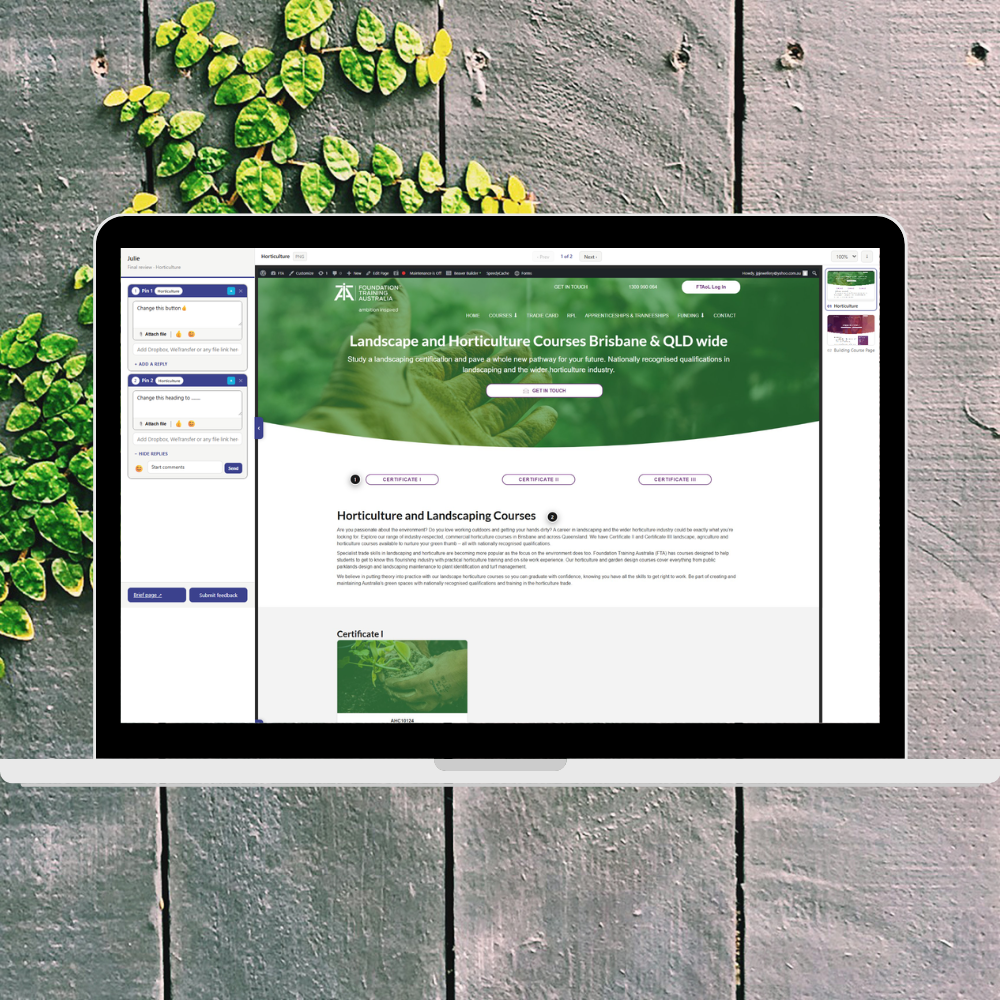
Clients drop pins

They click directly on the design and leave numbered feedback right there. Misplaced a pin? Just drag it into position.

4

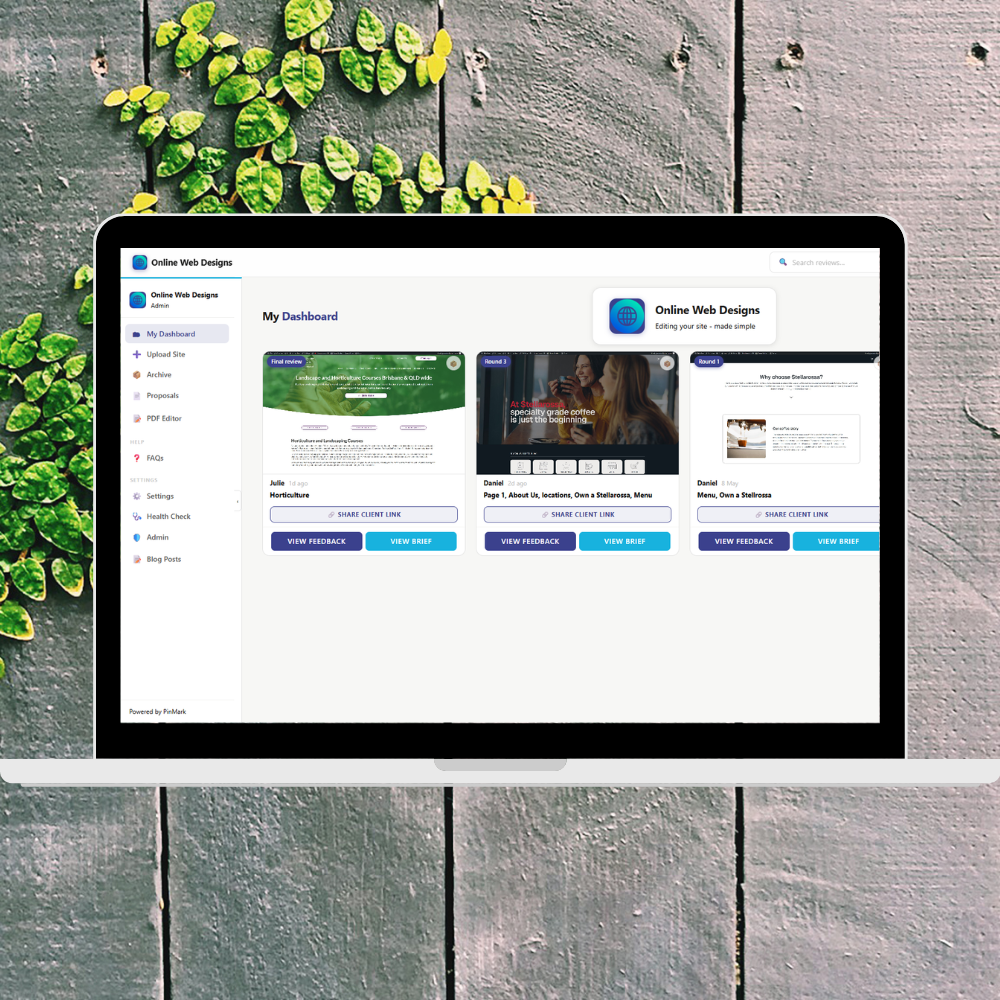
You review & action

All feedback in one place, easy to work through and mark as done. When your client submits, you get notified straight away.

PinMark in action PinMark feedback view
Features

Everything you need, nothing you don't

Built specifically for designers and agencies who want fast, clear client feedback.

Pin-accurate feedback

Clients click exactly where they mean. No more "the thing in the top right corner" feedback.

Branded client experience

Your logo and colours on every review link and proposal. Clients see your brand from start to finish.

PDF annotation

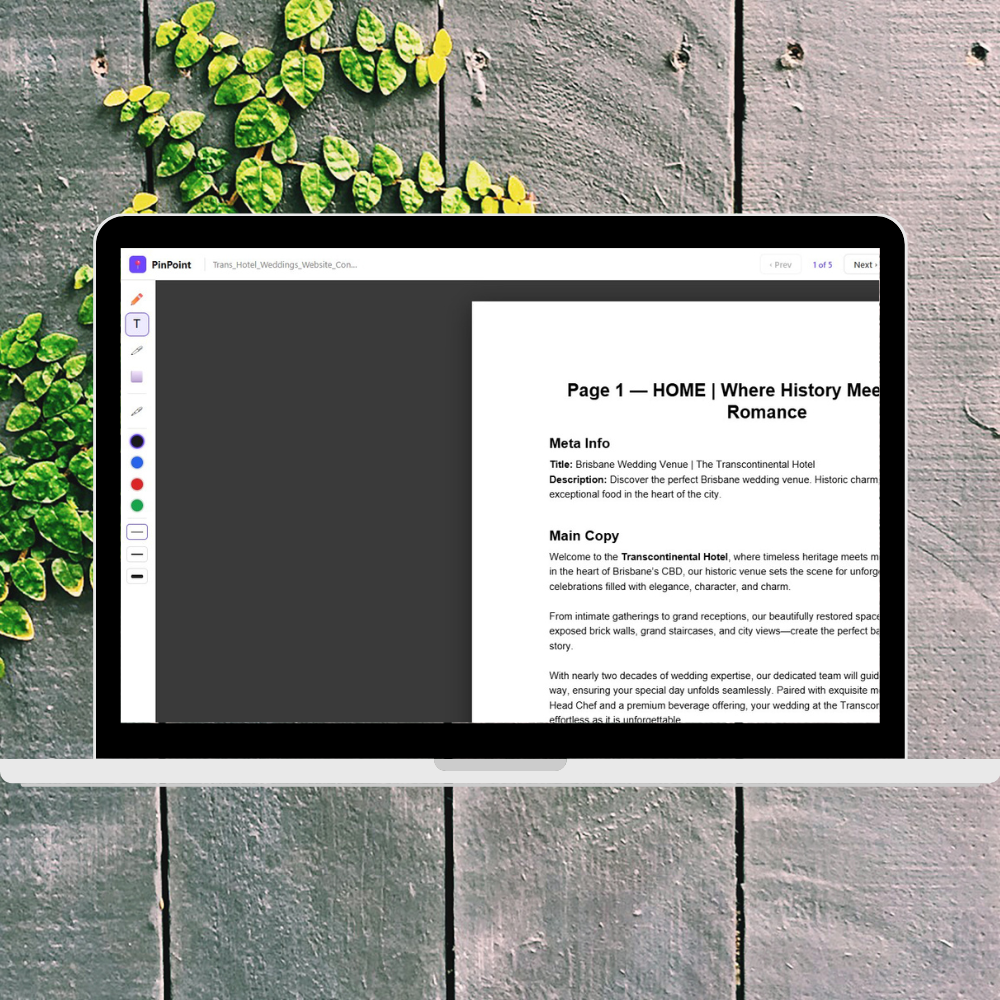
Annotate PDFs with a full set of tools - draw, highlight, text, signature, eraser.

No client login

Clients open a link and start leaving feedback immediately. Zero friction.

Multi-page reviews

Upload multi-page designs. Pins are organised by page and numbered across the whole review.

Shareable brief

Share a clean project brief or handoff page alongside your review link.

Proposals

Win more work with polished proposals

Send professional, branded proposals directly from PinMark. Build them block by block - cover, scope, investment, timeline - and let clients accept online.

  • Drag-and-drop blocks: cover, scope, investment, timeline and more
  • Your logo, your colours. Clients see your brand, not ours.
  • One-click acceptance. No printing, no PDFs, no email chains.
  • Get notified the moment a proposal is opened or accepted.
PinMark proposal builder
PinMark PDF editor
PDF Editor

Annotate PDFs like a pro

Upload any PDF - briefs, mockups, copywriting docs - and your clients can mark it up directly in the browser. No software, no plugins, no confusion.

  • Draw, highlight, add text, sign - full annotation toolkit
  • Multi-page support - navigate and annotate across the whole document
  • Works right in the browser - nothing to download or install
  • Download the finished PDF - annotations baked in, ready to send
Pricing

Simple, honest pricing

Start free. No credit card required. Choose your plan when you're ready.

14-day free trial included with every plan
Pro
$29 / month

Billed monthly, cancel anytime


  • Unlimited reviews
  • Unlimited pages per review
  • No client accounts needed
  • Branded client experience
  • URL screenshot capture
  • PDF annotation
  • Proposals
  • Email notifications
  • Priority support
  • All future updates included
Start free trial

14 days free, no credit card required

What people say

Loved by designers. Easy for clients.

Hear from the people on both sides of the feedback process.

Designer

"I used to dread the feedback round. Now I actually look forward to it. Clients pin exactly where they mean and I know what to fix without a single follow-up call."

SM
Sarah M.
Freelance Web Designer
Designer

"Proposals used to take me half a day. I sent my first one through PinMark in under 20 minutes and the client accepted it the same afternoon. That alone was worth it."

JT
James T.
Digital Agency Owner
Client

"I'm not very technical but clicking on the design and typing what I thought was really straightforward. My designer knew exactly what I meant for the first time."

PK
Priya K.
Small Business Owner